Configure integrations
Last updated:
Integrations let custom agents use authorized external accounts, for example to read information from GitHub. Configure several accounts for one service and choose which one an agent uses. The built-in catalog currently provides GitHub.
Prepare the required authentication details and check that the account can access the resources needed for your task.
From definition to connection
- Available integrations: global catalog definitions available for configuration.
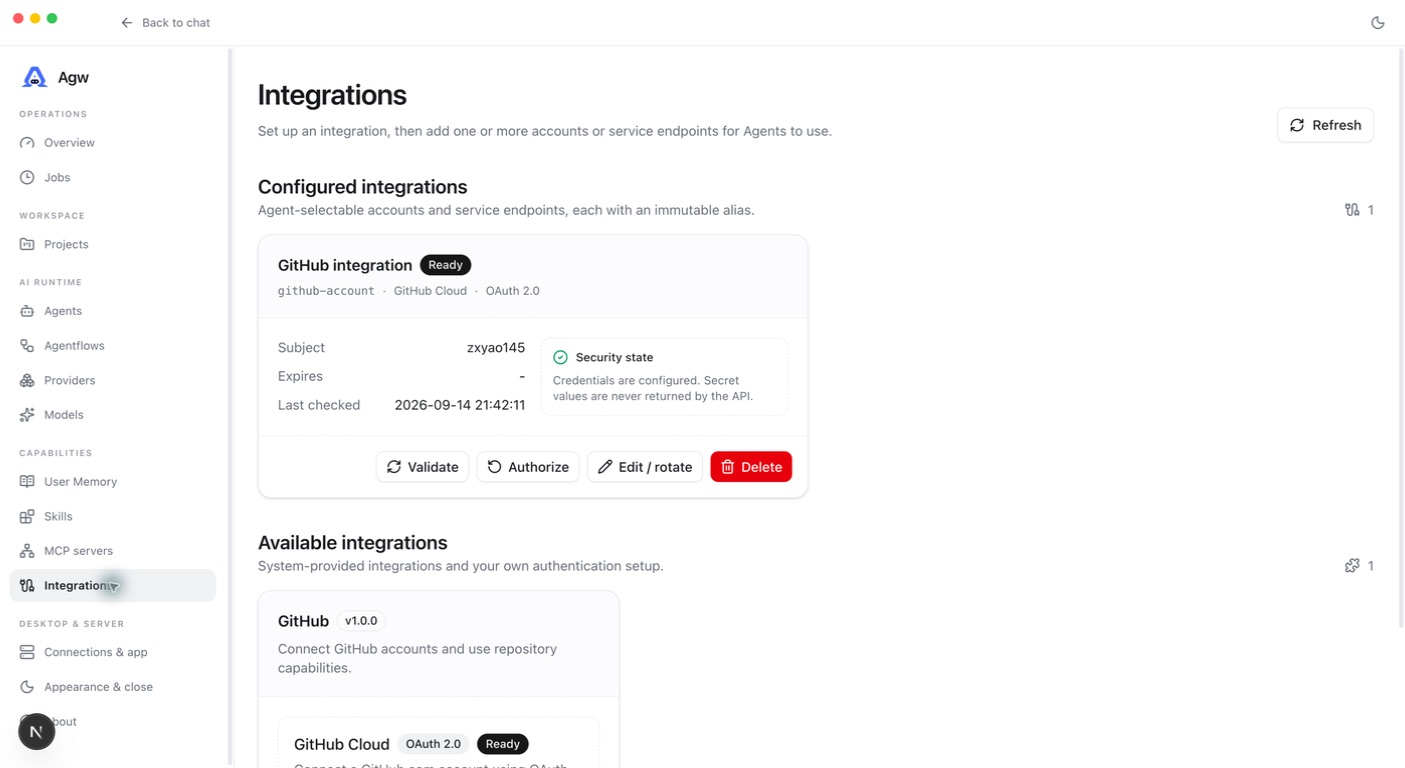
- Configured integrations: accounts or service endpoints configured by the current user.
- Connection: the concrete instance selected and bound; one integration can have several accounts.
- On the GitHub card in Available integrations, click Configure and complete the setup required by the chosen authentication method. GitHub OAuth needs the Client ID and Client Secret of an OAuth App; register the OAuth callback URL shown in the dialog with that OAuth App.
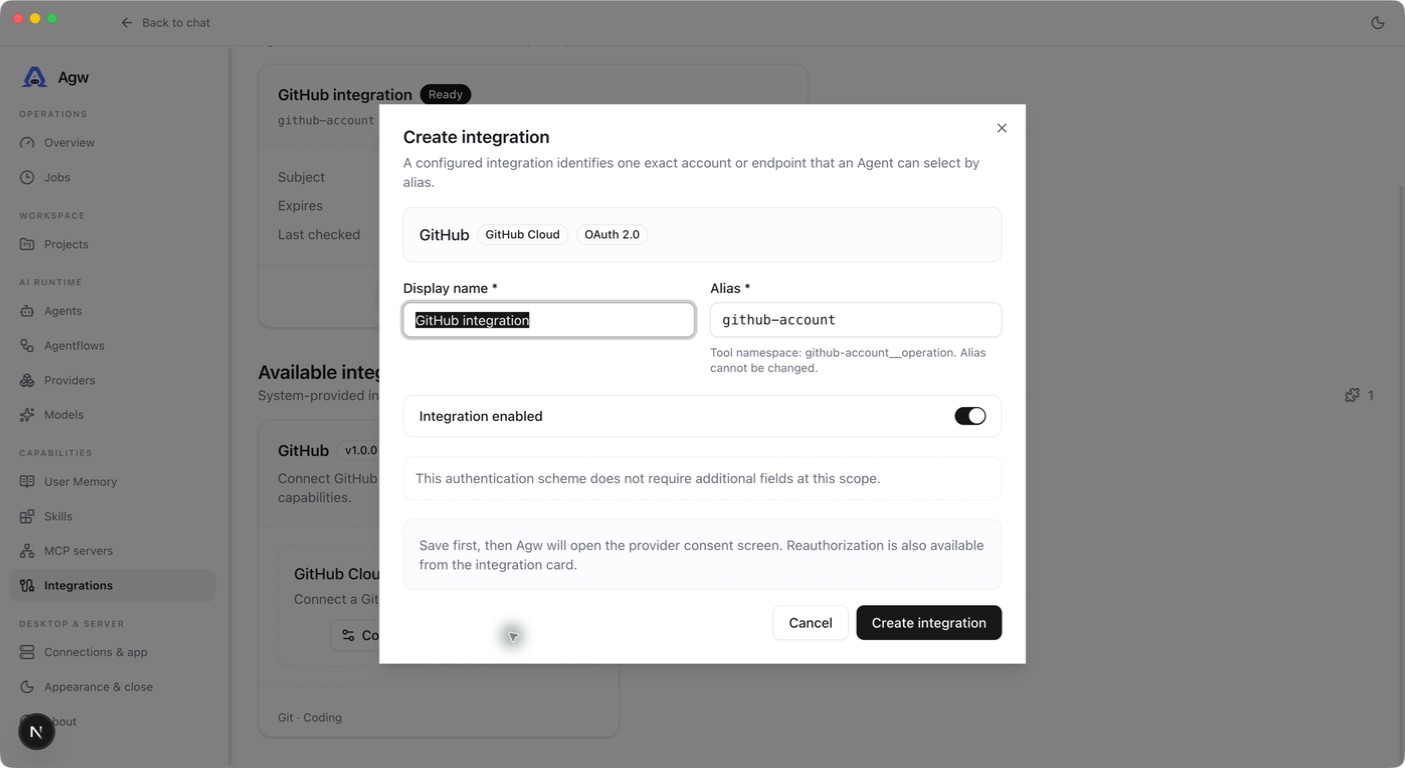
- On the catalog card, click New integration in the row for the authentication method you want, and enter a Display name and a clear Alias. After a new OAuth Connection is saved, AGW opens the authorization page automatically.
- Confirm it is Ready, then bind the specific connection to an Agent or Project. Use Authorize on the connection card to authorize again and Validate to recheck the connection.
- Run a read operation in a new custom-agent turn and verify the intended account is used.
Aliases are immutable after creation and unique per user. They allow only lowercase letters, digits, and single hyphens, up to 128 characters; uppercase input is converted to lowercase. Tool names follow {alias}__{operation} to distinguish accounts. A GitHub connection provides {alias}__current_user, {alias}__list_repositories, and {alias}__clone_repository, which read the current account, list visible repositories, and clone a repository into the current Project workspace.
Ownership and credentials
Installation setup and Connections belong to the current user. Setup changes invalidate only that user’s connections. Only owner-matched Ready connections contribute runtime capabilities. Credential access, OAuth, and tool invocation all check ownership.
Current limits
Remote Plugin Marketplace download, signing, and upgrades are unavailable. Third-party Plugin Skill scripts are not executed. Connections are not injected into any external agent (Claude Code, Codex, or Pi). Connection changes do not imply live mutation of an existing tool list; verify changes in a new turn.