Tools and Skills
Last updated:
A Tool performs an operation, such as reading a file. A Skill supplies instructions, resources, and optional tools for a type of task. Decide what the agent needs to read or change, then select the relevant tools and guidance.
The steps below assume an existing custom agent and Project. External agents configure capabilities through their own supported mechanisms.
Add capabilities
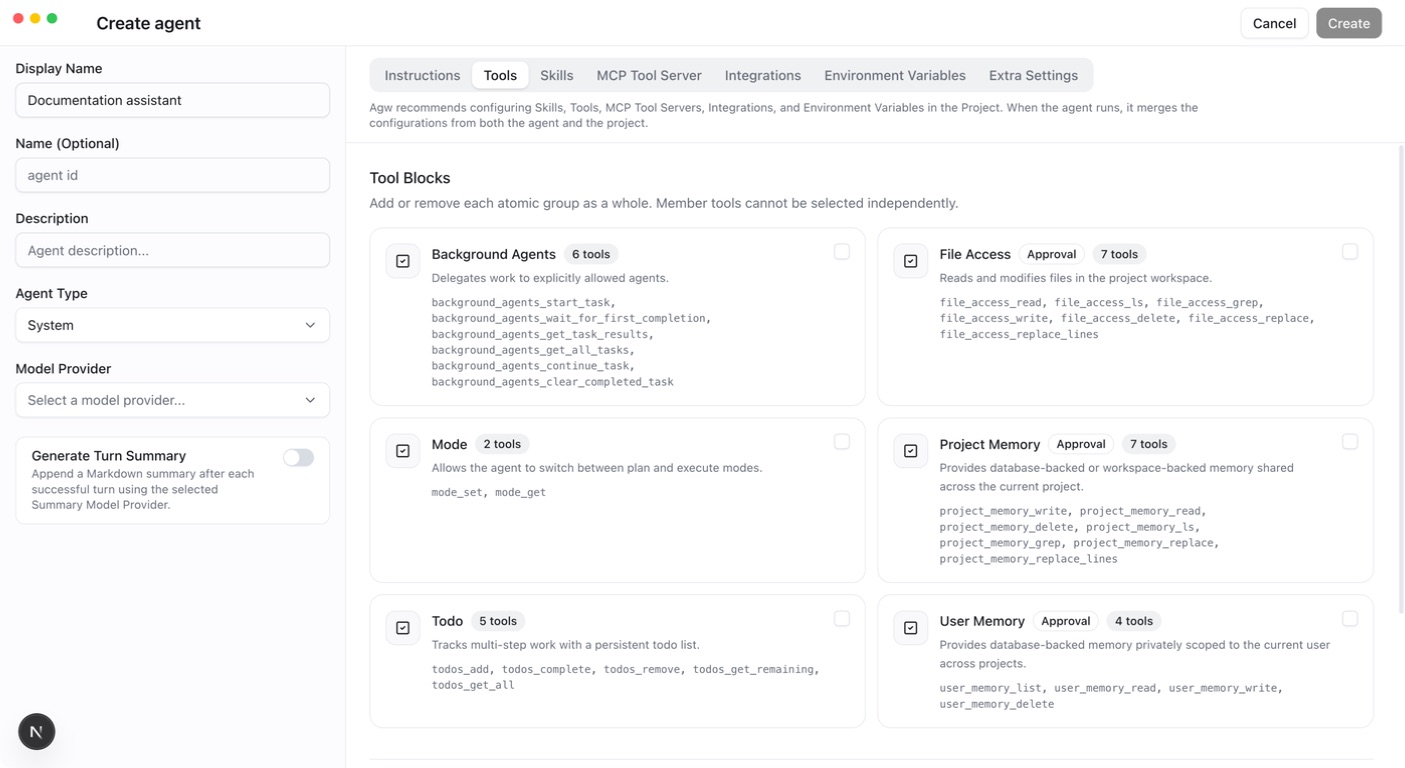
- Review the selectable tools in the Tools tab of an Agent or Project. ToolBlock cards show a description and member tools, plus an Approval badge when a call may need approval; individual tools appear in a dropdown with name, description, and category.
- Manage available Skills and read their instructions and prerequisites.
- Bind the tools and Skills needed for this task to the agent.
- Start a new turn in the correct Project. Verify read operations before testing necessary writes.
Every tool explicitly declares AgwToolPermission. The execution pipeline checks permissions; saying “allowed” in a prompt does not bypass permission or ownership checks.
Built-in ToolBlocks
| ToolBlock | Purpose | Configurable on |
|---|---|---|
| Todo | Tracks multi-step work with a persistent todo list | Agent, Project |
| Mode | Switches between Plan and Execute; see Plan and Execute modes | Agent, Project |
| File Access | Reads and modifies files in the Project workspace | Agent, Project |
| User Memory | Memory for the current user across Projects | Agent, Project |
| Project Memory | Memory shared across the current Project, stored in the database or the primary directory; see Memory | Agent, Project |
| Background Agents | Delegates work to explicitly allowed agents chosen in Allowed delegation targets | Agent only |
In File Access, file_access_read, file_access_read_lines, file_access_ls, and file_access_grep are read-only and allowed in Plan mode; file_access_write, file_access_delete, file_access_replace, and file_access_replace_lines require write permission.
Local and Remote Skills
Choose a mode according to how you maintain the content:
| Mode | Content source | How to update |
|---|---|---|
| Local | Upload a ZIP containing SKILL.md; files are stored on the AGW server | Edit the Skill and upload a new ZIP |
| Remote | Provide an HTTP or HTTPS URL that downloads a Skill ZIP | Update the remote content and let AGW refresh its cache; editing and saving the Remote Skill also fetches it again |
“Local” means the AGW server, not the computer running the browser. Remote refers to where the instructions come from; the Agent still performs the task.
- Create a Skill in Skills and select Local or Remote.
- For Local, enter a name and description and upload a ZIP containing
SKILL.md. For Remote, enter the ZIP download URL without uploading a file. AGW downloads it with an unauthenticated GET, so URLs that require sign-in or a token cannot be used. - A Remote package must contain exactly one
SKILL.md, withnameanddescriptionin its YAML frontmatter and instructions in its body. The remote file supplies the name and description. - After saving, select the Skill in an Agent or Project and use a small relevant task to verify that its instructions are available.
Remote Skills currently read the instructions from the package. They do not download and run its scripts or expose its other resource files. If those files are needed, use Local mode and prepare the execution environment.
Remote Skill cache
AGW fetches content when a Remote Skill is created or saved and caches it in the database for one hour.
- Reads reuse a valid cache to avoid repeated downloads.
- After expiration, the next read fetches fresh content. This is not an hourly background download.
- After updating remote content, wait for the cache to expire or edit and save the Remote Skill to fetch it again.
- A failed refresh returns an error. It does not extend the old cache’s lifetime or serve expired content. Check that the server can reach the download URL and that the ZIP and
SKILL.mdformats are valid.
During automatic refresh, the remote name must match the saved Skill name. If the remote name changes, edit and save the Skill to update its definition. Refreshing the cache does not rewrite content already loaded into a conversation; have the Agent read the Skill again when verifying updated instructions.
Skill-owned tools
Skill-owned tools are registered through the Skill and bound to the Project at runtime. They are not global catalog entries, so absence from the global list does not imply unavailability.
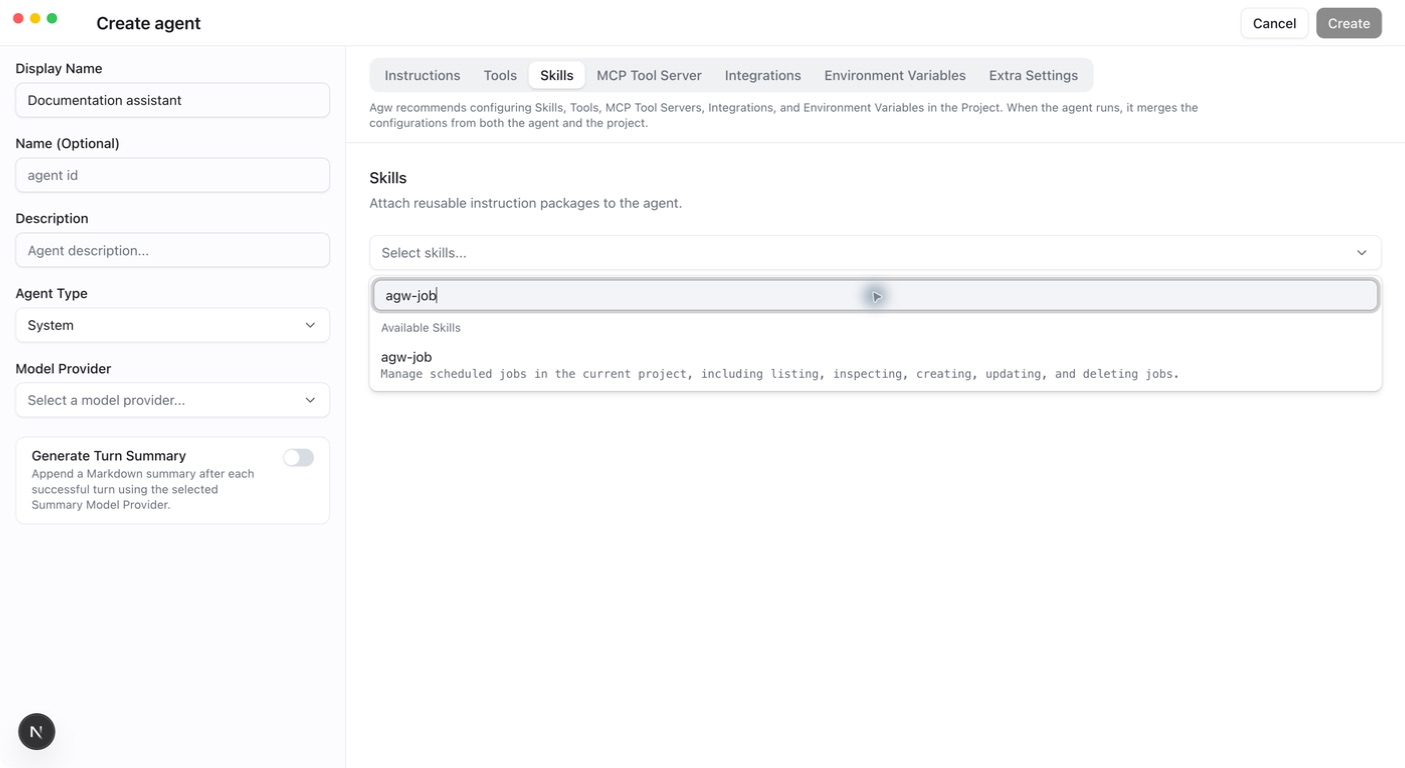
For example, agw-job supplies agw_job_list, agw_job_get, agw_job_create, agw_job_update, and agw_job_delete. Reads work in Plan mode; writes are prohibited there.
Verify
Inspect tool names, arguments, and results to confirm the intended Project was used. For missing capabilities, check Skill bindings and execution mode. For external services, configure MCP or Integrations.